
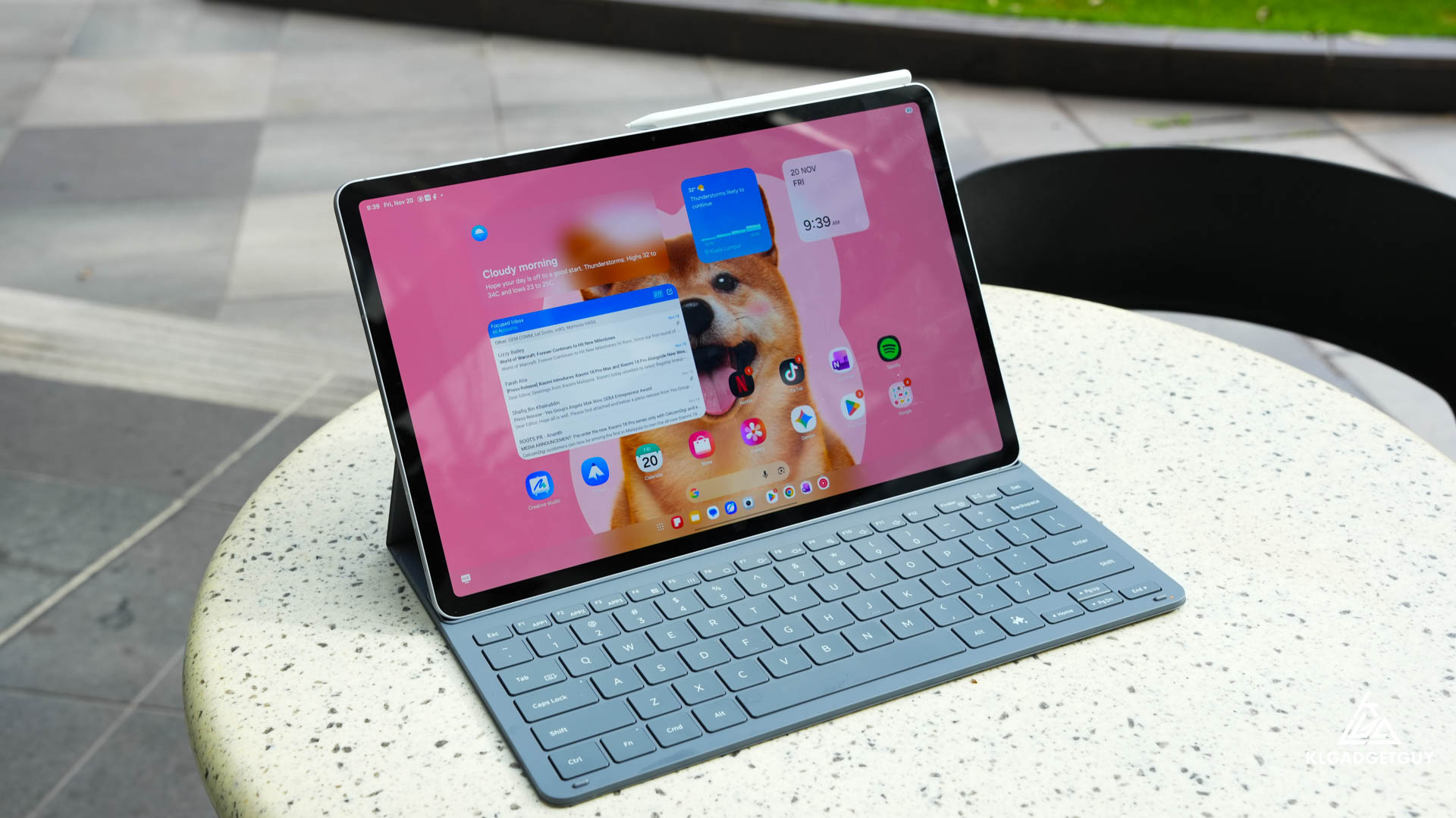
Googlebooks have been making waves in the US recently, but not necessarily for the right reasons. Despite offering excellent hardware quality, many tech reviewers have criticised Google’s new laptops for their unpolished software experience, particularly when it comes to running Android apps in a desktop environment.
While Googlebooks aren’t officially available in Malaysia, the idea behind them is certainly appealing. After all, not everyone needs the complexity of a Windows laptop or MacBook, especially when most everyday computing tasks involve browsing the web, writing documents, responding to emails and consuming content.
This got me thinking about whether an Android tablet could already deliver that experience without the compromises associated with Google’s new laptops. Enter the Samsung Galaxy Tab S12+.
For the past two weeks, I’ve been using the Galaxy Tab S12+ as my primary portable computer, replacing both my Windows laptop and MacBook for everyday productivity. Surprisingly, the experience has been so enjoyable that I hardly missed using either laptop.
In fact, after spending considerable time with it, I believe the Galaxy Tab S12+ represents one of the most complete Android tablet experiences available today, and it makes a compelling case against Apple’s iPad Pro.
Galaxy Tab S12+ Video Review
Impressively Slim Hardware With a Surprisingly Good Keyboard
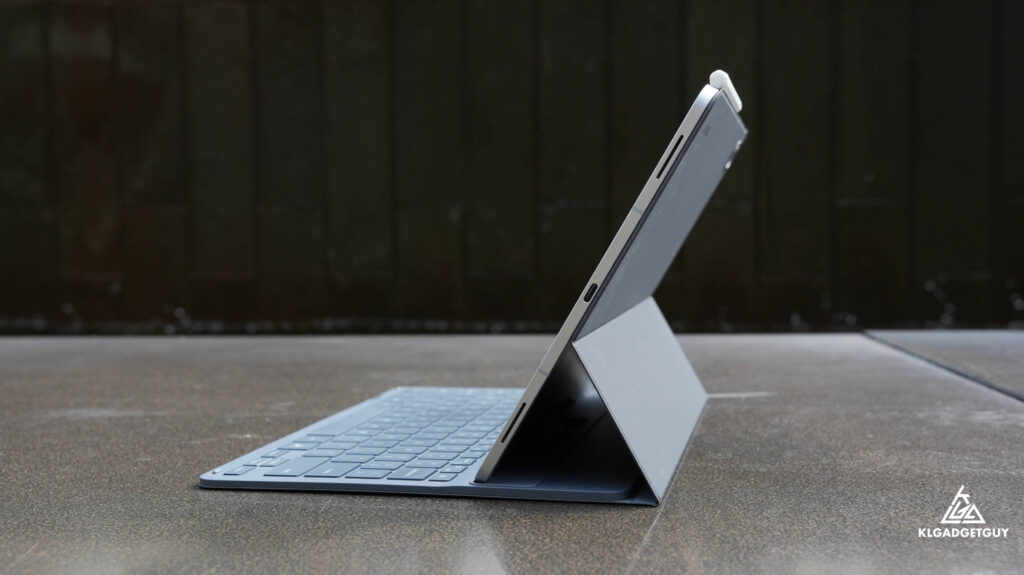
One of the first things that impressed me about the Galaxy Tab S12+ is just how slim and lightweight it feels. At only 5.3mm thick and weighing approximately 553g for the Wi-Fi model, Samsung has managed to create a remarkably portable device that doesn’t feel compromised in terms of build quality. Even with the Book Cover Keyboard attached, which adds roughly another 200g, the entire package remains significantly lighter than most premium laptops.
This makes a noticeable difference when carrying the tablet between meetings, working at a café or simply using it around the house.
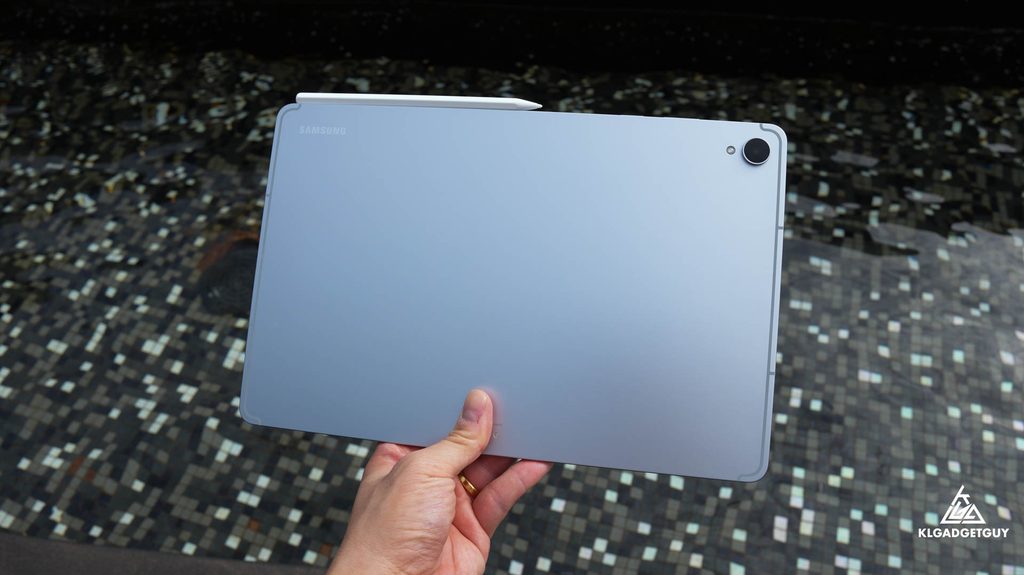
Another advantage is its IP68 dust and water resistance rating, something Apple’s iPad Pro doesn’t officially offer. Although I certainly wouldn’t recommend deliberately exposing it to seawater or swimming pool chemicals, the added protection offers some peace of mind when using the tablet outdoors or near water.
The Book Cover Keyboard has also been a pleasant surprise. It connects through magnetic pogo pins, providing a direct connection without the pairing process or battery management associated with Bluetooth keyboards. Typing feels immediate and responsive, while the keys deliver satisfying tactile feedback.
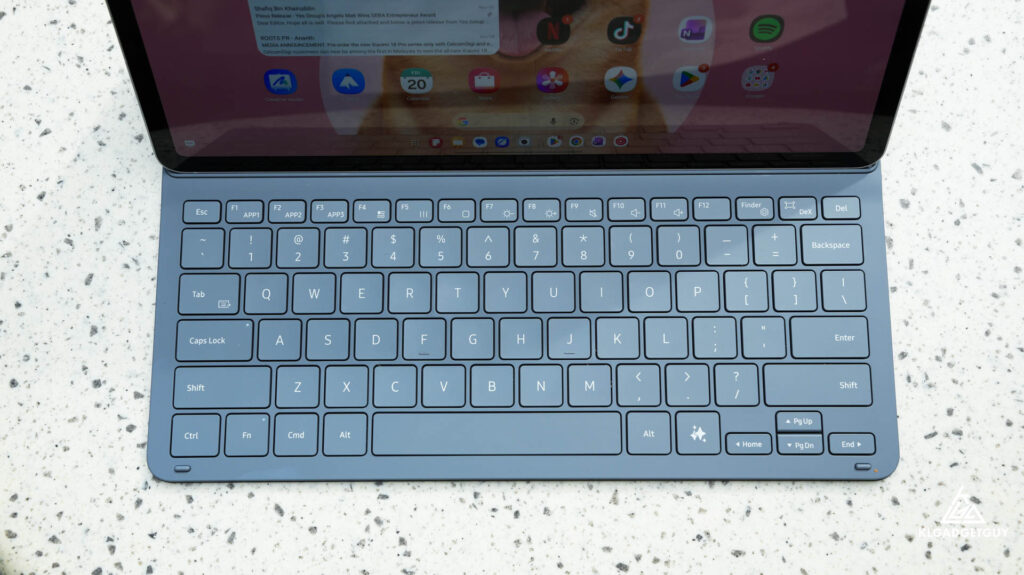
As someone who spends a considerable amount of time writing video scripts, articles and emails, I found the keyboard surprisingly comfortable for longer typing sessions. In fact, I’d happily choose it over the keyboards found on some inexpensive Windows laptops.
However, there are two things I wish Samsung had included. The first is a trackpad, which would make the keyboard more versatile for desktop-style productivity. The second is backlighting, something I particularly miss when working in dimly lit environments. Neither issue completely ruins the experience, but considering the Tab S12+’s premium positioning, these are features that would have made an already excellent keyboard even better.
A Beautiful AMOLED Display With Excellent Speakers
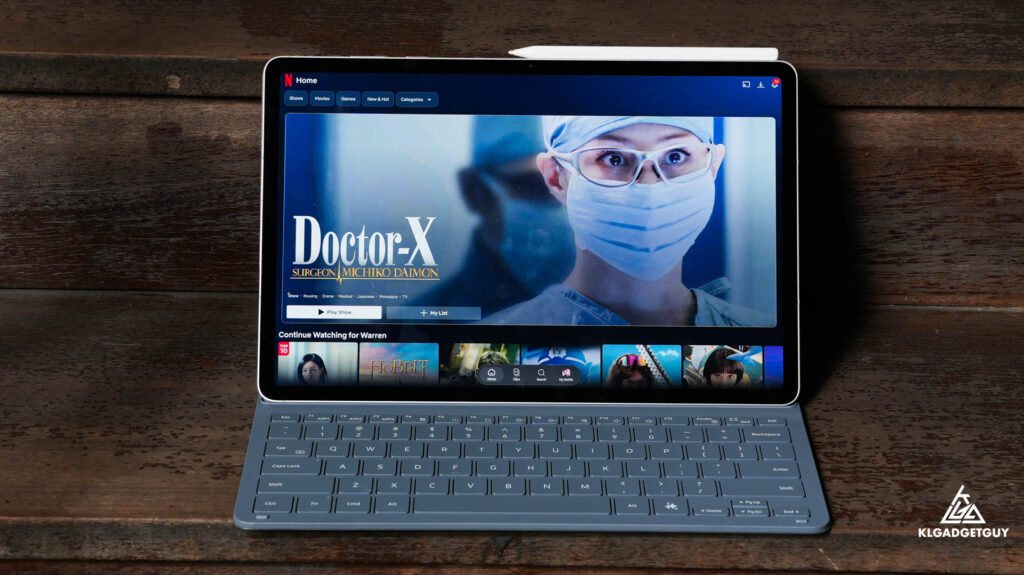
Samsung has equipped the Galaxy Tab S12+ with a 12.6-inch Dynamic AMOLED 2X display, offering a 120Hz refresh rate and a resolution of 2800 × 1752 pixels. Compared with the Galaxy Tab S10+, the screen is slightly larger, providing more room for multitasking and entertainment.
The display is easily one of the tablet’s strongest features. Colours look vibrant, blacks are beautifully deep, and the 120Hz refresh rate makes everything from scrolling through websites to switching between applications feel incredibly smooth.
However, I’m disappointed that Samsung hasn’t retained the same anti-reflective treatment found on its predecessor. Reflections can become noticeable under strong lighting, particularly when working outdoors.
The bezels are also relatively thick compared with some competing Android tablets. While this does make it easier to hold the device without accidentally touching the screen, I feel Samsung could have made the design look even more modern with slightly slimmer borders. Fortunately, these shortcomings don’t take away much from an otherwise gorgeous display.
What makes the multimedia experience even better is the quad-speaker system. The Galaxy Tab S12+ produces impressively rich, powerful and spacious audio for such a thin device. To my ears, it sounds better than many Windows laptops in a similar price bracket, making it excellent for conference calls, presentations and watching movies.
Turn on Dolby Atmos, and the speakers deliver an even more immersive listening experience. Whether I’m watching Netflix after work or participating in an online meeting, I rarely feel the need to connect an external speaker.
Samsung DeX Is What Makes This a Genuine Laptop Alternative
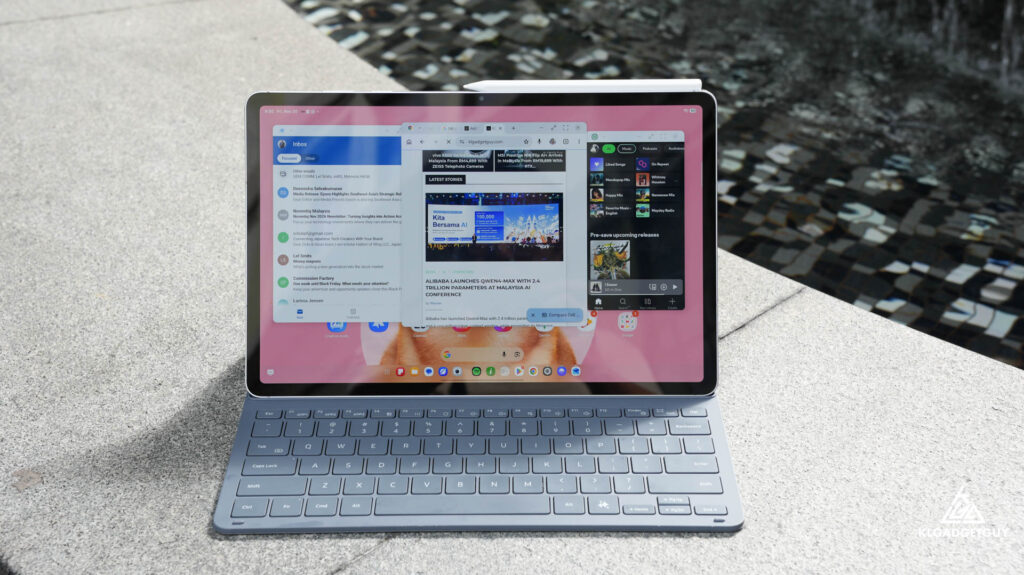
Hardware aside, the biggest reason I enjoyed using the Galaxy Tab S12+ as my laptop replacement is Samsung’s software. While other Android tablet manufacturers have attempted to introduce desktop-style interfaces, I believe Samsung remains one of the few brands that truly understands how to make Android work effectively with both touch and mouse input.
Samsung DeX is the centrepiece of this experience. With the Book Cover Keyboard connected, the tablet can be configured to launch DeX, transforming the familiar Android interface into something resembling a conventional desktop operating system.
Applications open in resizable windows, allowing me to arrange several apps across the screen, overlap them or place them side by side. This is particularly useful when writing articles, as I can have Samsung Internet open for research while working on a document in another window. I can also keep messaging apps accessible without constantly switching between full-screen applications.
The multitasking capabilities extend to multiple virtual desktops, with support for up to four separate workspaces. I’ve organised mine around different activities, including general work, writing and research, communication, and entertainment. Switching between them takes only a few gestures, making it easy to keep different activities organised without cluttering a single desktop.
What surprised me most is how little I needed a mouse. Because DeX retains Android’s excellent touch and gesture navigation, I could switch applications, resize windows and navigate between desktops without constantly reaching for an external pointing device.
That said, I still found a mouse useful when selecting precise portions of text or performing more detailed image edits in Canva. Thankfully, both tasks worked well on the tablet.
The included S Pen is another useful addition, particularly for handwritten notes, annotations and basic sketches. However, I do miss the Bluetooth-based remote features available on some older Samsung S Pens, which would have been useful for presentations and camera controls.
Despite these minor limitations, Samsung DeX is easily the feature that makes the Galaxy Tab S12+ feel like a proper computer rather than just an oversized smartphone.
Android Apps Still Have Their Limitations
Of course, replacing a laptop with an Android tablet isn’t without compromises. While Samsung has done an excellent job optimising its own software for larger screens, the same cannot always be said about third-party Android applications.
Some apps are still designed primarily for smartphones, which becomes painfully obvious when they’re stretched across a 12.6-inch display. Facebook is one example, with an interface that can look awkward and unnecessarily oversized outside a desktop-style window.
Shopping applications such as Shopee and Taobao can be equally frustrating, with enormous product listings and layouts that don’t make particularly good use of the available screen space. In many cases, I found myself preferring the web versions of these services, which generally offer layouts better suited to a larger display.
This is one area where Android tablets still have some catching up to do compared with Windows and macOS. However, these occasional compatibility issues weren’t serious enough to disrupt my overall productivity. DeX helps make less-optimised apps more manageable by allowing them to run in smaller windows, while the browser provides a practical alternative when an app’s interface simply doesn’t work well.
For my particular workflow, these compromises were relatively easy to live with.
Galaxy AI Makes Everyday Productivity More Convenient
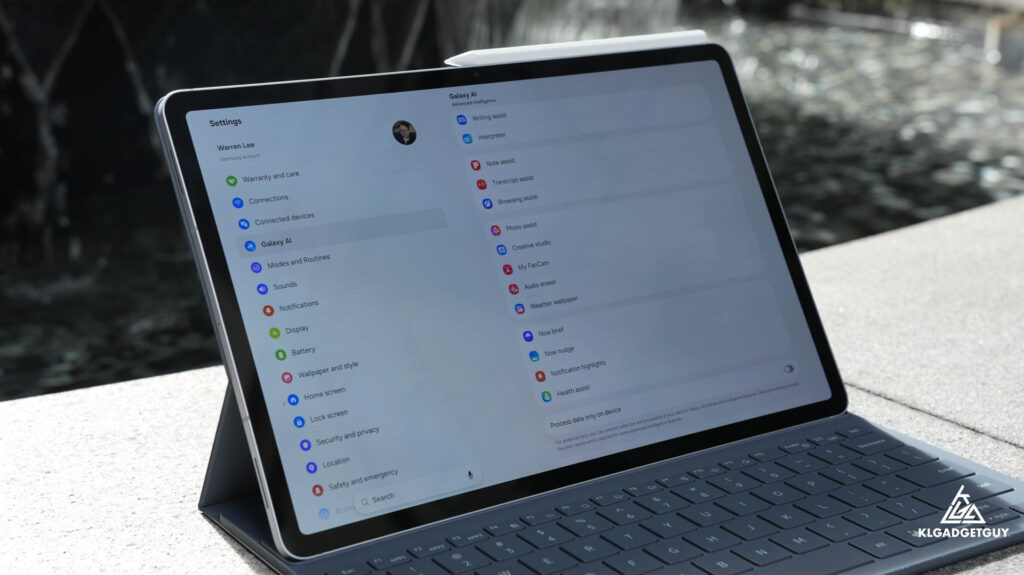
Samsung has also integrated its Galaxy AI features throughout the Galaxy Tab S12+, and while AI has become something of a marketing buzzword, I found several of these features genuinely useful.
Note Assist can help organise and summarise notes, while transcription features make it easier to review meetings and spoken conversations. Creative Studio allows users to transform rough sketches into more polished artwork, and Samsung Gallery’s object removal tools remain useful for quickly cleaning up photos without transferring them to a computer.
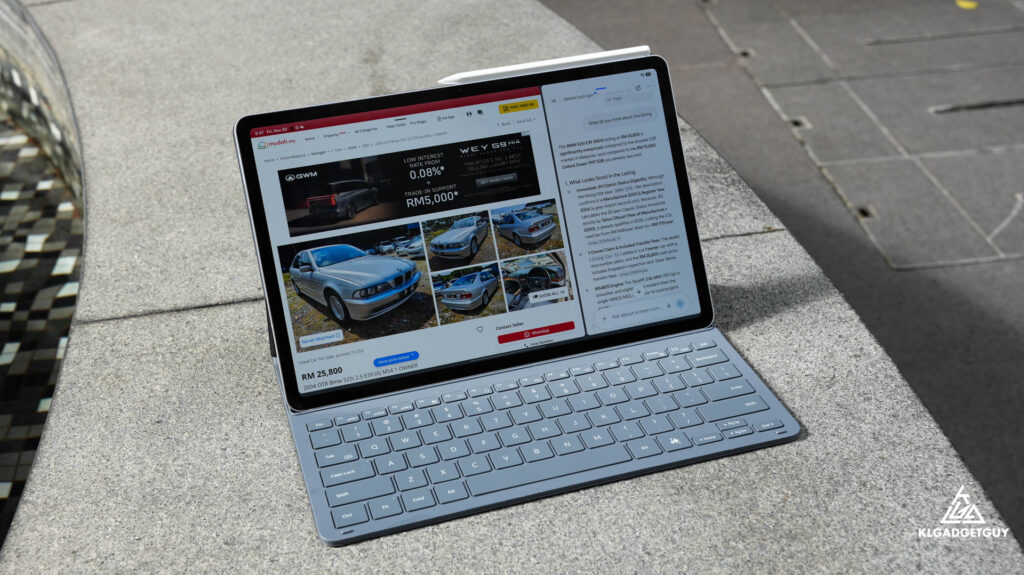
However, the feature I personally appreciated most was the article summarisation tool in Samsung Internet. As someone who regularly reads lengthy technology news articles and researches products, being able to generate a quick summary saves a considerable amount of time. Instead of spending several minutes reading an entire article just to identify its key points, I can get a useful overview first and decide whether the full story deserves a closer look.
The dedicated AI key on the Book Cover Keyboard is another convenience I quickly became accustomed to. Pressing it brings up Gemini, allowing me to ask questions, research information and interact with content that I’m viewing on screen.
For example, I’ve recently been researching the BMW E39 as a potential project car. Being able to share what I’m looking at with Gemini and ask follow-up questions makes the research process feel far more interactive than simply opening another browser tab.
Admittedly, most of these AI capabilities aren’t exclusive to Samsung tablets. Similar features can be found on competing Android devices and through standalone AI applications. What makes the Galaxy Tab S12+ different is how naturally these features fit into the overall experience.
Rather than feeling like unnecessary additions, they become small conveniences that genuinely improve how I work throughout the day.
Flagship Performance That Feels Effortlessly Smooth
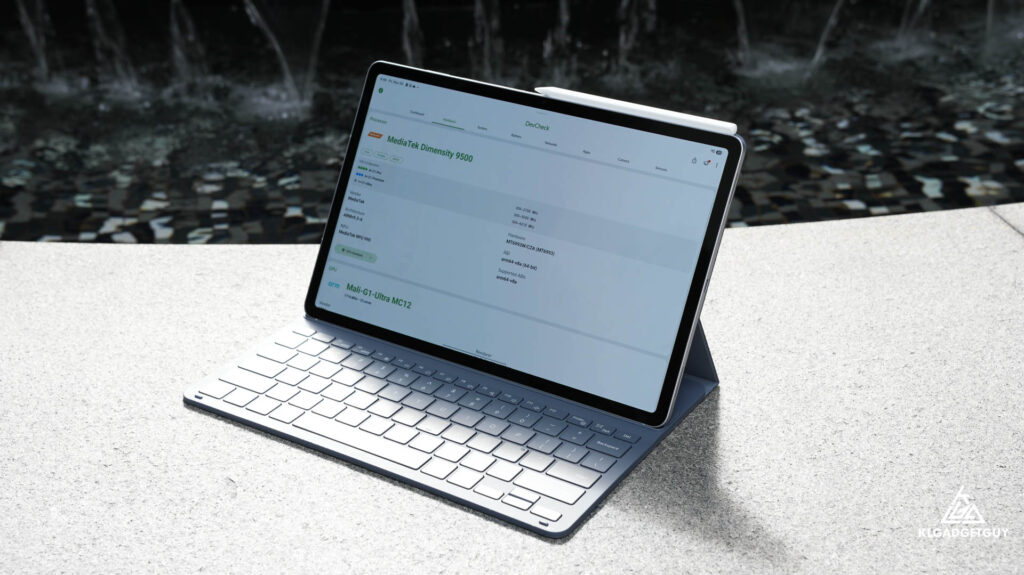
Under the hood, Samsung has equipped the Galaxy Tab S12+ with MediaTek’s Dimensity 9500 chipset, paired with 12GB of RAM. While it wouldn’t be fair to compare its raw computing capabilities directly with premium Windows laptops or MacBooks running desktop-class processors, the performance is more than sufficient for the tasks I regularly perform.
Throughout my two weeks of testing, the tablet consistently felt fast and responsive. Applications launched quickly, switching between multiple open windows was effortless, and I rarely encountered any noticeable slowdowns.
I was particularly impressed with how well Samsung manages memory. Even with several applications running in the background, including a browser with multiple tabs, messaging applications and productivity tools, the tablet maintained a smooth multitasking experience without constantly reloading everything.
Gaming performance was equally impressive. The Dimensity 9500 has enough graphical horsepower to handle demanding Android games at high settings, and I was generally able to push visual quality without worrying about severe performance drops. I also experimented with game emulation, which worked surprisingly well and further demonstrated the chipset’s capabilities.
Of course, performance will vary depending on the game and emulator being used, but the overall experience reinforces just how powerful modern flagship Android tablets have become. For productivity, entertainment and mobile gaming, I rarely found myself wishing for more processing power.
Two-Day Battery Life Makes a Big Difference
Perhaps the most impressive aspect of the Dimensity 9500 isn’t its raw performance, but how efficiently it manages power. Samsung has fitted a large 10,600mAh battery into the Galaxy Tab S12+, and battery life has been excellent throughout my testing.
With approximately six hours of regular usage per day, involving web browsing, writing, messaging, watching videos and occasional gaming, I could comfortably stretch the battery across two days before needing to recharge.
Naturally, more demanding activities such as gaming at maximum settings or sustained high-brightness use will drain the battery faster. Nevertheless, having this level of endurance on a device that weighs just over half a kilogram is genuinely impressive.
Compared with the battery anxiety I occasionally experience when carrying a Windows laptop, the Galaxy Tab S12+ feels considerably more dependable for a full day away from a power outlet.
The only slight disappointment is its 45W wired charging support. While that’s adequate for overnight charging or topping up between activities, it doesn’t feel particularly fast considering the battery’s large capacity and the charging speeds available on some competing Android tablets. Still, I’d gladly accept slightly slower charging in exchange for the excellent battery endurance.
Verdict: One of the Best Android Laptop Replacements Yet
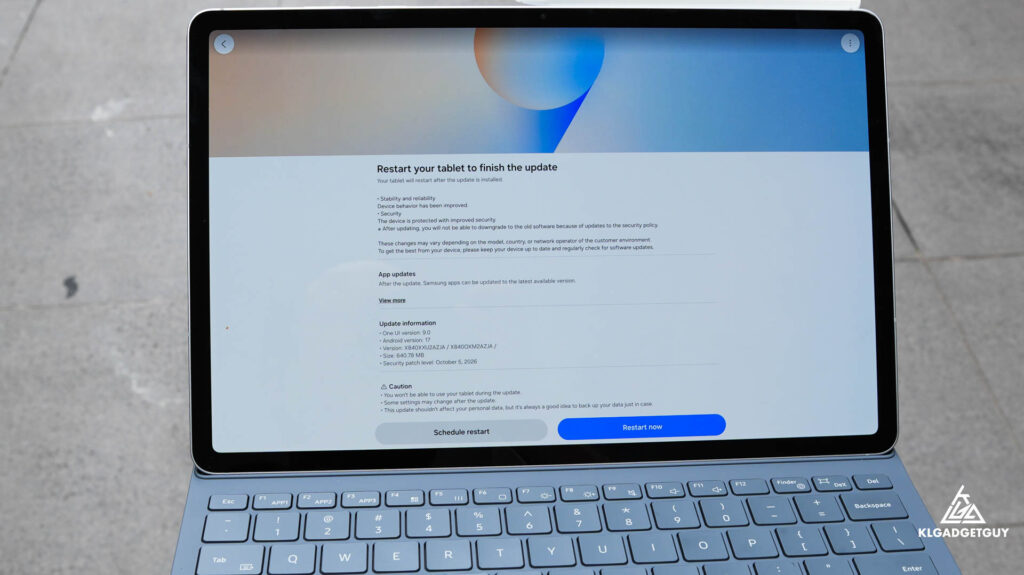
Going back to the Googlebook comparison I mentioned earlier, I think the Galaxy Tab S12+ demonstrates something interesting about the direction of personal computing.
Googlebooks are attempting to offer a simpler alternative to conventional laptops by combining premium hardware with an Android-based software experience. Unfortunately, early reviews suggest that Google still has considerable work to do before its software can consistently match the quality of the hardware.
Samsung, on the other hand, has spent years refining its tablet experience. With DeX, excellent multitasking capabilities, mature productivity features and deep integration with the Galaxy ecosystem, the Tab S12+ already delivers much of what people might want from a simpler computing device.
And unlike a conventional laptop, it can instantly transform into a lightweight tablet for reading, watching videos, taking handwritten notes or playing games. After two weeks of using it as my primary portable computer, I genuinely didn’t feel the urge to return to my Windows laptop or MacBook for everyday work.
That’s not to say it can completely replace a traditional computer for everyone. Professionals who depend on desktop-exclusive applications, advanced video editing software or specialised workflows will still find Windows and macOS more capable.
However, for people whose daily computing revolves around web applications, documents, emails, presentations, meetings and multimedia, the Galaxy Tab S12+ offers a surprisingly complete alternative.
In Malaysia, the tablet launched with official pricing starting at RM5,599 for the Wi-Fi variant, while the 5G version carries a higher price. Retail promotions can bring the price down further, and I’ve seen offers around RM4,899 through Samsung’s official store on Shopee.
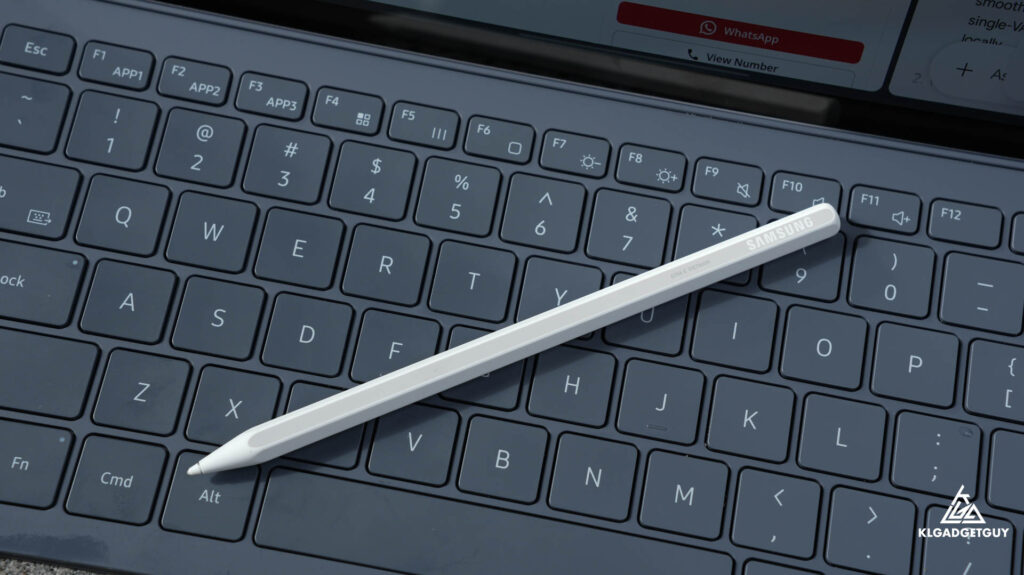
The S Pen is included, while the Book Cover Keyboard may be bundled depending on the promotion, so it’s worth checking exactly what comes with your purchase.
At this price, the Tab S12+ certainly isn’t cheap, especially when capable Windows laptops are available for similar money. But the value here isn’t simply about processing power or specifications.
It’s about getting a premium, lightweight device with a beautiful AMOLED display, excellent battery life, impressive speakers and a polished productivity experience that works equally well with touch and a keyboard.
More importantly, it feels like a product that understands what an Android tablet should be, rather than trying too hard to imitate a conventional laptop. For me, the Samsung Galaxy Tab S12+ is one of the most enjoyable productivity devices I’ve used this year, and a convincing reminder that a tablet doesn’t need to run Windows or macOS to become a dependable everyday computer.
If you’ve been considering an iPad Pro or a premium laptop primarily for everyday productivity, the Galaxy Tab S12+ absolutely deserves a place on your shortlist.