
Samsung Gallery is gaining a Google-backed cloud sync feature that keeps photos and videos accessible across supported Galaxy devices without requiring a separate cloud account. It also adds a practical “Free up space” option for removing local originals after they have been synced.
The rollout began on 10 November 2026 for selected Galaxy devices running One UI 9 and will expand in phases. Samsung Malaysia has published local setup guidance, but eligibility can still vary by device, country, carrier and software version, so the option may not appear on every Malaysian Galaxy phone immediately.
How Samsung Gallery sync works
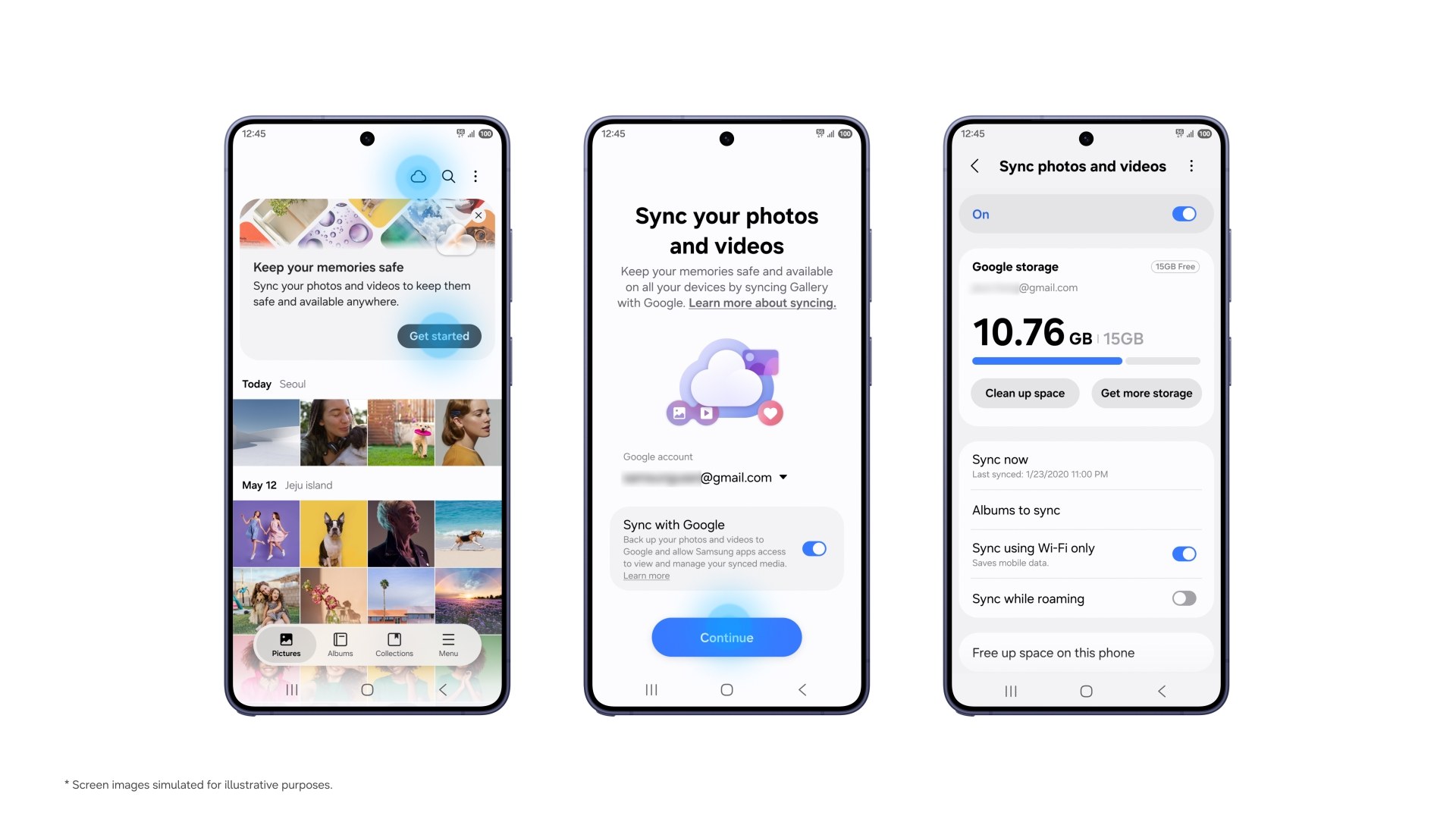
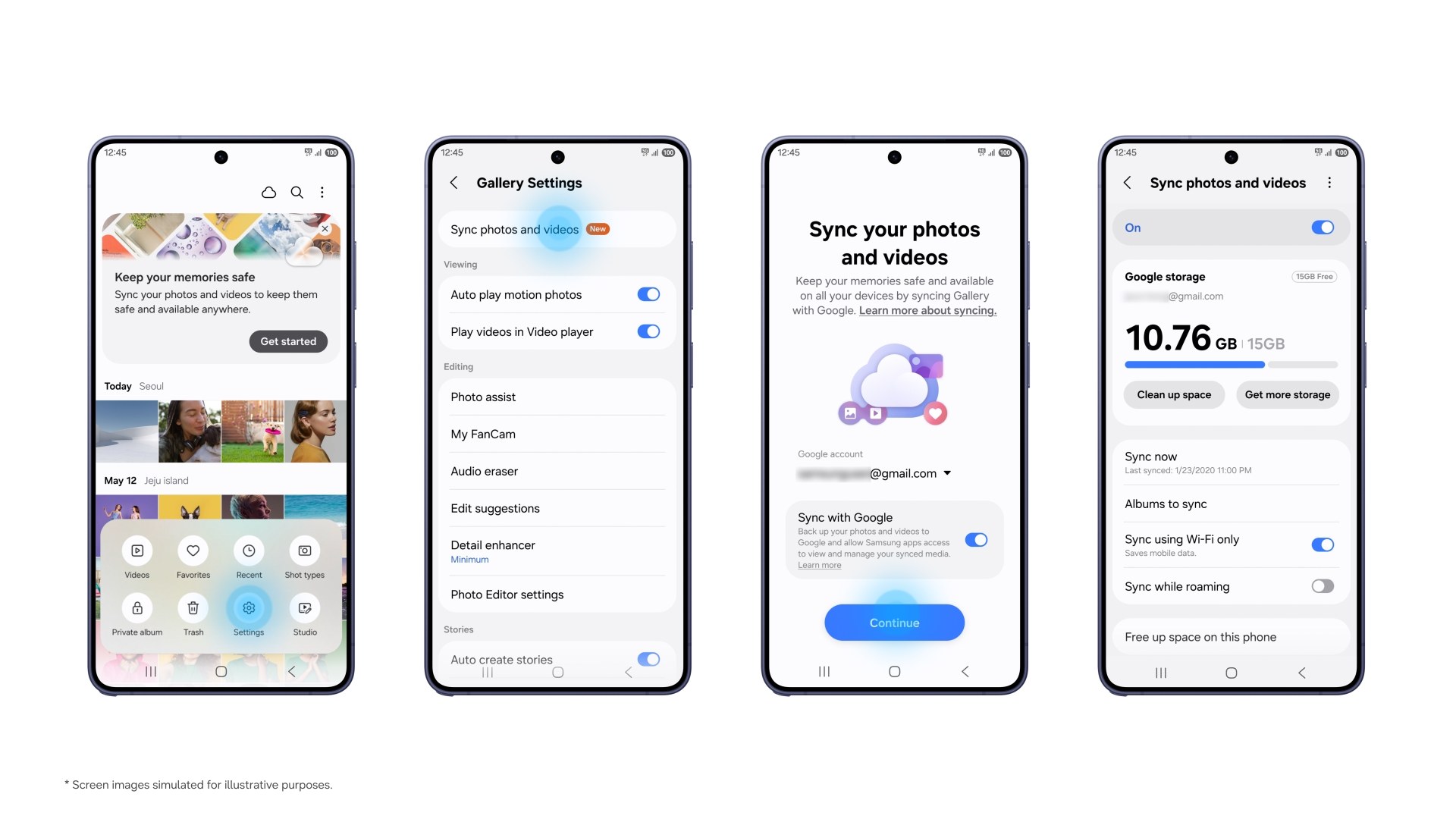
The service uses the Samsung and Google accounts already signed in on the device. Users can tap the cloud icon in Gallery, follow the “Get started” card, or open Gallery Settings and enable “Sync photos and videos”. The same accounts and sync setting must be used on each supported device.
Photos taken on a Galaxy phone can then appear inside Samsung Gallery on a compatible tablet, for example. When setting up a replacement device, Gallery initially shows previews; the original file can be downloaded when it is needed.
Samsung’s Malaysian support page describes the service as two-way synchronisation with Google Photos. That means additions, edits and deletions can be reflected across linked services and devices. Users should therefore treat a deletion as a synced action rather than assume every cloud copy will remain untouched.
The free 15GB is shared with other Google services
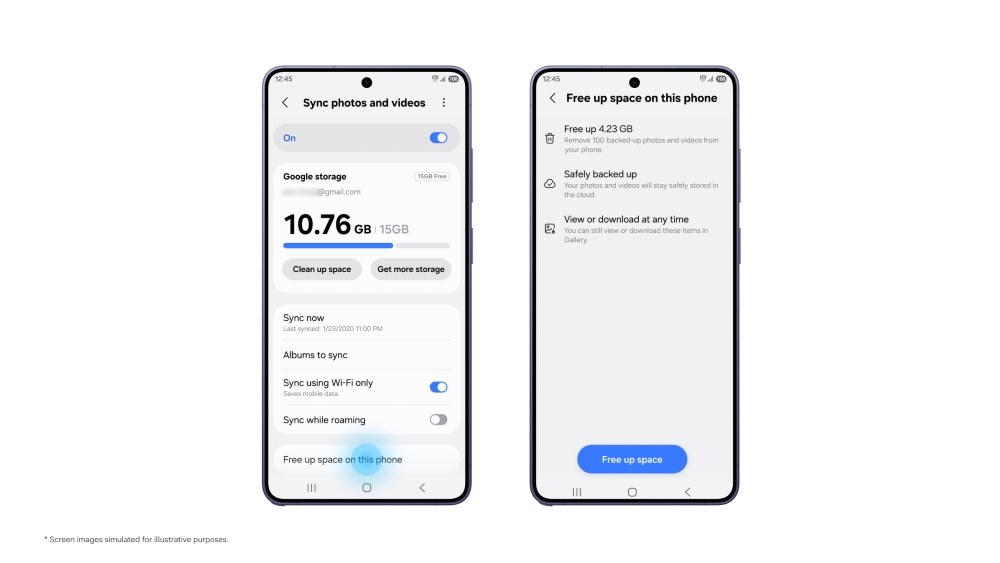
Gallery sync draws from the storage attached to the user’s Google account. A standard Google account includes up to 15GB at no cost, but that allowance is shared with Gmail, Google Drive and Google Photos. A busy photo library can therefore fill the free tier quickly, especially when video is involved.
The “Free up space” command becomes useful once originals are safely synced. It removes local copies from the Galaxy device while retaining thumbnails in Gallery, and the original can be downloaded later. Before using it, check that sync has completed, confirm that the intended Google account is active, and make sure enough cloud storage remains.
This is not the same as creating an independent second backup. If a file is deleted through a two-way sync service, that change may propagate. Important photos should still have another copy on a computer, external drive or separate backup service.
Why this matters for Galaxy owners
Samsung Gallery has long been one of the better manufacturer photo apps, but cloud continuity has often required users to understand how Samsung, Microsoft and Google services overlap. Direct Google storage integration makes the path more familiar for Android users and reduces the friction of moving between Galaxy devices.
It could also help owners of phones with limited storage avoid aggressive manual clean-ups. The benefit, however, depends on reliable uploads and a Google storage plan large enough for the library. Samsung’s announcement explains the workflow but does not independently test upload speed, conflict handling or restoration under poor connectivity.
If the switch has not appeared yet, update Samsung Gallery and the phone’s system software, then check the Malaysian support page for the latest compatibility notes. Avoid third-party APKs or forcing regional settings; Samsung says availability is expanding in phases, so waiting for the supported rollout is the safer option.