
Even though the update log for iOS 26.3 doesn’t mention much aside from being an important bug fix and security update, Apple has discretely made leaving the iPhone for an Android phone easier with this update, as it has included a Transfer to Android tool in the Settings app.
Reported by AppleInsider, the option is located in the Transfer or Reset iPhone menu, where you will see a Transfer to Android option that will guide you on performing data transfer to your new Android phone, you will then need to scan the QR code with your iPhone that’s provided by Google’s Data Transfer tool, which is available when you first set up your phone, choose the data you want to transfer and let the magic happen.
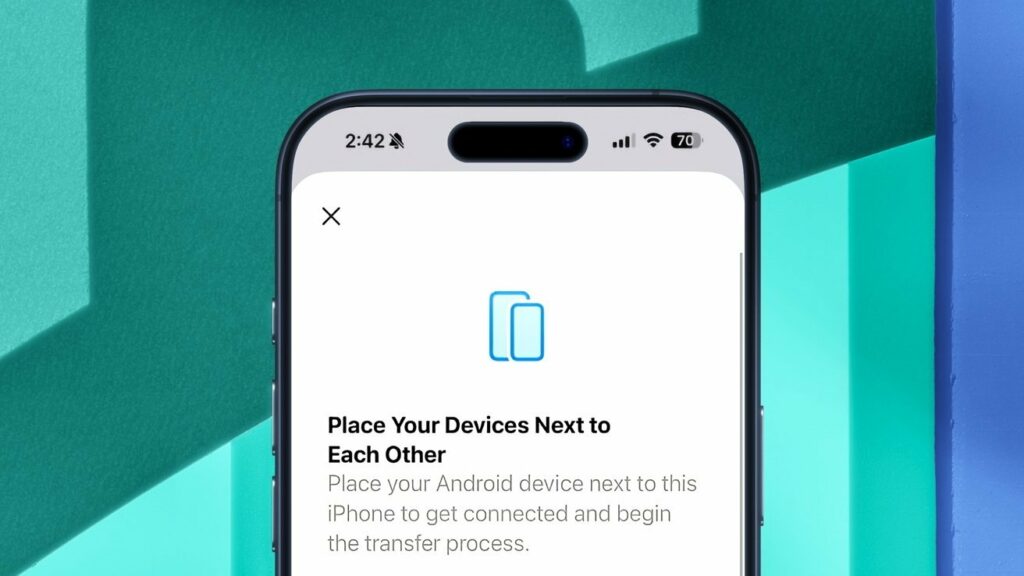
Data that can be transferred over include photos, messages, apps, eSIM, notes, passwords and Live Photos, things such as health data, paired Bluetooth devices and protected items aren’t supported, and we don’t expect data such as WhatsApp chats and game saves to be supported either, which you will need to use other means of transferring them if needed.
In spite of this, it makes leaving the walled garden a lot easier than before with this new feature and considering that Google will be enabling AirDrop on more Android devices this year, it leads us to wonder if this is part of Google’s deal with Apple when it is engaged the latter’s AI assistant.